
The guide
The piano keyboard is a diagram of the scale, and a MIDI file is a diagram of the playing
Black keys in twos and threes, twelve equal semitones, an A set at 440 Hz by agreement, and a file format that stores what the hands did rather than what the air did.
- 440 Hz the usual pitch of the A above middle C
- 261.63 Hz middle C when that A is 440 Hz
- 1.05946 frequency ratio of one equal-tempered semitone
- W-W-H-W-W-W-H the step pattern of every major scale
- 1983 the year MIDI 1.0 was first published
Read the full guide Fold the guide
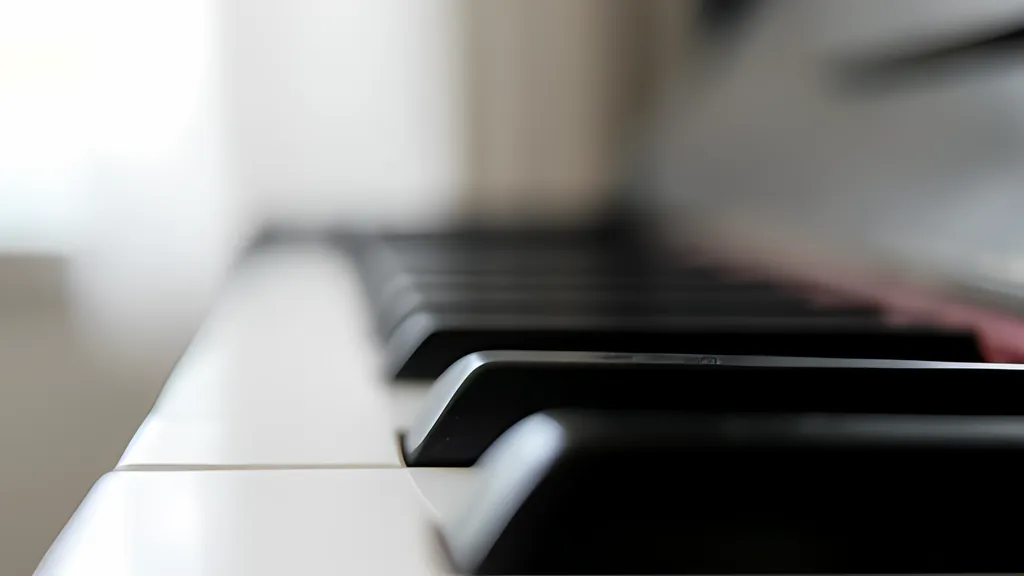
A piano keyboard looks arbitrary until you notice that it is drawn to a rule. Seven white keys, five black, and the black ones never spread evenly: two, then three, then two again, all the way up. That uneven grouping is not decoration. It is the one feature that lets a hand find its place without looking, and it falls straight out of the scale the white keys were built to play.
A keyboard is a picture of a scale. So are the staff, a chord symbol and the file a recording is saved in. Each stores the same music in a different shape, and each leaves something out.
Why the black keys come in twos and threes
Start with the smallest distance the instrument offers. A half step is the key immediately to the right or left, black or white, and a whole step is two of those. Every octave holds twelve half steps. A major scale picks seven of them using one fixed recipe of whole and half steps: W-W-H-W-W-W-H. Play only white keys from any C to the next and you have played exactly that.
Now look at where the half steps in that recipe fall. Between the third and fourth notes, E and F, and between the seventh note and the top, B and C. Those two pairs are already a half step apart, so there is nothing between them to add. The other five neighbours are a whole step apart, and each of those gaps gets a black key. Five black keys, interrupted in two places, can only come out as a group of two and a group of three. Count them on any octave of the keyboard above and the arithmetic is plain: seven white keys and five black ones make the twelve half steps.
That is why the grouping works as a map. The white key just left of the pair is always C. The white key just left of the three is always F. Everything else is counted from those two.
The black keys have no letters of their own. Each borrows a neighbour’s name: the key right of C is C sharp, and the very same key is D flat when it is approached from above. Two names, one key, one sound. This page lets you pick sharps or flats and applies that choice everywhere; it does not work out which spelling a particular key signature would want, and it says so.
Twelve equal steps and one agreed number
An octave is a doubling of frequency. Equal temperament, the tuning a modern piano is built around, cuts that doubling into twelve identical ratios, so every half step multiplies the frequency by the twelfth root of two, about 1.05946. Nothing in the scheme says where to start. It needs one note pinned to one number, and by convention that note is the A above middle C.
The number is 440 Hz, and it is an agreement rather than a fact of nature. It was proposed as a standard in 1834. In the 1860s France settled on 435 instead. An American standards body recommended 440 in 1936, an international recommendation followed in 1955, and it became the international standard ISO 16 in 1975. It is still not universal: early-music groups tune lower, and at least one major orchestra has tuned to 442.
Once the A is fixed, every other note follows from one line of arithmetic. Number the keys the way MIDI does, with that A as note 69 and one number per half step, and the frequency of note n is 440 times two to the power of (n minus 69) over 12. Middle C is note 60, nine half steps down, which gives 261.63 Hz.
Here is a worked example you can repeat with the keyboard on this page. Hold C, E and G around middle C: notes 60, 64 and 67. The formula gives 261.63 Hz, 329.63 Hz and 392.00 Hz. Change the A to 442 and the same three keys move to 262.81, 331.13 and 393.78, each raised by the same ratio, because moving the reference slides the whole grid without bending it.
Octaves get numbers as well as letters. In the usual scheme each numbered octave begins on C, middle C is C4, and so the reference A is A4. A piano mostly lives in octaves one to seven with a few notes spilling into zero and eight. At the ends of the 88-key range offered here the same formula gives 27.5 Hz for the lowest A and 4186.01 Hz for the top C.
The staff is the same picture turned on its side
A keyboard lays pitch out from left to right. A staff lays it out from bottom to top, one letter name per line or space, and that is the whole trick. The treble staff has the lines E, G, B, D, F and the spaces F, A, C, E; its clef curls around the second line from the bottom to mark it as G, hence its other name, the G clef. The bass staff has the lines G, B, D, F, A, and its clef, the F clef, starts on the line that is F. Notes too high or too low for a staff are written on short extra lines called ledger lines.
Put the two staves together and one note is left between them: middle C, on its own ledger line in the gap. The tuning note, A4, lands in the second space of the treble staff.
Notice what the staff does not show. It has seven positions per octave, not twelve, because it was designed around letter names. A black key has no line of its own; it is written at a neighbour’s position with a sharp or a flat in front. The keyboard shows twelve keys and hides the spelling. The staff shows the spelling and hides five of the keys.
Chords and scales are recipes in half steps
Because every half step is the same size, any pattern can start on any key. A scale is a list of step sizes. The natural minor is W-H-W-W-H-W-W. The harmonic minor widens one step to three half steps near the top, and the melodic minor raises two notes on the way up and lowers them again coming down. The seven modes are the major pattern begun from each of its notes in turn: start the white keys on D and you are in the dorian mode, on F the lydian, on G the mixolydian. The recipe decides the character of the scale, and the starting key only decides how high it sits.
Chords are built the same way, in stacked thirds. A major third is four half steps and a minor third is three. Major third then minor third makes a major triad; reverse the order for a minor triad. Two minor thirds make a diminished triad and two major thirds an augmented one. Add another third on top and you have a seventh chord, which comes in five common kinds, the dominant seventh being a major triad with a minor seventh above the root.
Which note is lowest changes the name without changing the chord. C, E, G with C at the bottom is in root position. Put E at the bottom and it is the first inversion, written C/E; G at the bottom is the second. A chord namer only has to compare the held notes with these few recipes and then look at the bass.
That is also its limit. The namer here knows nine recipes: four triads and five sevenths. It does not name sixth chords, suspended chords, added notes, ninths or anything with a note left out, and two shapes defeat it on principle. An augmented triad and a diminished seventh divide the octave into equal parts, so any of their notes could be the root. It calls the lowest note the root and leaves the argument to the player.
A recording of the hands, not of the sound
MIDI, first published in 1983, lets instruments talk to each other in short digital messages. A note-on message says a key went down, which key, and how hard. A note-off says it came up. Nothing in either message is audio. A MIDI keyboard plugged into this page sends those messages and the page decides what they sound like.
A Standard MIDI File is the same idea written to disk: time-stamped messages. It opens with a header chunk that states the format and how many ticks make a quarter note. A track chunk follows, holding each event with the number of ticks since the previous one. A tempo event gives the length of a quarter note in microseconds, and a mandatory end-of-track event closes the list.
The time gaps are stored in a deliberately frugal way called a variable-length quantity, seven bits to a byte with the top bit meaning “more follows”. A gap of 127 ticks fits in one byte. A gap of 128 takes two, written 81 00 in the specification’s own table. A short gap costs one byte and only a long silence costs more.
The consequence is easy to miss. The file a take is saved to here holds no samples and no waveform; the Library of Congress description of the format lists support for user-defined sounds as “No”. Open it in another program and it will play back with whatever instrument that program has. The notes and their timing survive exactly. The sound does not travel at all.
Which raises the last question: why does a synthesized piano never quite pass for a real one? A real string is stiff, so its overtones run slightly sharp of exact multiples, and bass strings are wound with wire to add mass without adding more stiffness. A real note also decays in two stages, loud and fast at first, then a quieter aftersound that lingers, partly because the two or three strings of one note are tuned a hair apart.
The voice on this page imitates the outline of that behaviour and no more. It adds exact harmonics, lets the bright ones fade first, and follows a fast fall with a slow one. It has no soundboard, no hammer, no neighbouring strings humming in sympathy, and no room. It is good for hearing which notes you played and how they fit together. It is a diagram of a piano, like everything else here, and diagrams are for understanding.
Sources
Every source consulted for this guide. Links checked October 7, 2026.
- The Keyboard and the Grand Staff Open Music Theory, copy held by the Internet Archive
- Half Steps, Whole Steps, and Accidentals Open Music Theory, copy held by the Internet Archive
- Reading Clefs Open Music Theory, copy held by the Internet Archive
- American Standard Pitch Notation (ASPN) Open Music Theory, copy held by the Internet Archive
- Major Scales, Scale Degrees, and Key Signatures Open Music Theory, copy held by the Internet Archive
- Minor Scales, Scale Degrees, and Key Signatures Open Music Theory, copy held by the Internet Archive
- Introduction to Diatonic Modes and the Chromatic Scale Open Music Theory, copy held by the Internet Archive
- Triads Open Music Theory, copy held by the Internet Archive
- Seventh Chords Open Music Theory, copy held by the Internet Archive
- Inversion Open Music Theory, copy held by the Internet Archive
- MIDI tuning standard Wikipedia
- Piano acoustics Wikipedia
- A440 (pitch standard) Wikipedia
- Harold A Conklin Jr: Piano design factors Royal Swedish Academy of Music, hosted by KTH
- Gabriel Weinreich: The coupled motion of piano strings Royal Swedish Academy of Music, hosted by KTH
- MIDI 1.0 The MIDI Association
- Summary of MIDI 1.0 Messages The MIDI Association
- Standard MIDI Files The MIDI Association
- Standard MIDI file format, updated McGill University, archived by the Internet Archive
- Standard MIDI File Format Library of Congress