The guide
A normal map stores which way a surface faces. A photo can only guess.
Three numbers per pixel tell a renderer how a surface leans. Making them from one picture means reading brightness as height, and that holds only until the light in the photo gets in the way.
- 128, 128, 255 the color of a flat spot in every tangent-space normal map
- 1978 the year Jim Blinn showed that bending the normal fakes a bump
- Y+ or Y- the two green-channel conventions, OpenGL and DirectX
- 115, 128, 254 a slope of 0.1 to the right, written as a pixel
- 0.7152 the weight of green in BT.709 luma, the usual stand-in for height
Read the full guide Fold the guide
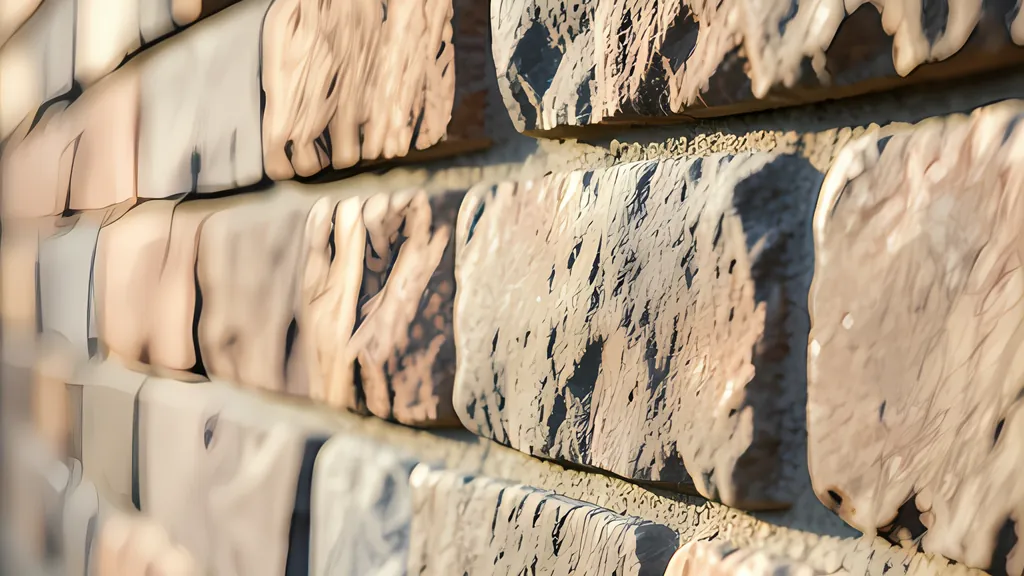
Rake a low light across a brick wall and the wall explains itself: every joint, chip and crumb of mortar throws a shadow. Turn the light to face the wall and the same bricks go flat. Nothing about the wall has changed. What the eye was reading all along was not depth. It was the direction each small patch of surface faces, and how that direction meets the light.
Computer graphics has leaned on that fact since 1978, when Jim Blinn described a way to perturb the direction of the surface normal with a texturing function before the lighting was calculated. His pictures showed realistic wrinkles without modeling each wrinkle as a separate piece of surface. A normal map is the modern form of the idea: the directions themselves, stored in an image.
It pays to be exact about what such an image holds. The usual way of making one at home, from a single photograph, swaps a measurement for a guess. The arithmetic is sound. The assumption under it is not.
Three numbers that are not a color
A normal is a direction, written as three numbers between minus one and one: how far the surface leans right, how far it leans up, and how far it points straight out. An image channel holds zero to one, so each number is halved and has a half added. Wikipedia’s article on normal mapping gives the result for a surface with no lean at all: a normal pointing straight out is stored as 128, 128, 255, which is the color #8080FF. That lilac blue fills every normal map. A pixel is bluest where the surface is flat and drifts toward pink, cyan or green only where it tilts.
The glTF specification pins the mapping down. Red from 0 to 1 means X from minus one to one, green does the same for Y, and blue above 0.5 covers Z from zero to one. It adds that blue should never be 0.5 or less. A normal that points into the surface means nothing, so half of the blue range goes unused, one more reason these maps look so blue.
The same specification says the values are stored with a linear transfer function. That phrase matters. A normal map is data in the shape of an image, and any step that treats it as color, whether a gamma curve or a color profile, bends the directions it carries. The PNG specification has a word for samples that come with no gamma or profile chunk: uncalibrated. For a normal map that is the correct state.
The directions are also relative. They are written in tangent space, which Wikipedia describes as a vector space tangent to the model’s surface, so that a normal pointing straight out of the surface always has the same value. A map built this way does not care whether the polygon under it faces north or the floor, so one brick texture can cover every wall in a scene. The idea of storing normals directly in a texture, in place of displacements, arrived in a 1998 paper by Cohen and colleagues.
Height, slope and real geometry
Three kinds of map are easy to confuse. A height map is a grayscale picture in which black stands for the lowest point and white for the highest. A normal map stores the slope of that height and nothing about the height itself. A displacement map is a height map that is actually used to move the vertices of a mesh.
Only the last one changes the shape. The three.js documentation is blunt about it: normal maps do not change the actual shape of the surface, only the lighting, while displaced vertices can cast shadows, block other objects and otherwise act as real geometry. Godot says the same of its normal maps, and describes its height option as a ray-marched search that only creates an illusion of depth. Wikipedia’s article on bump mapping names the price of the illusion: the outline and the shadow of the object stay those of the smooth shape underneath. Displacement has a gap of its own, since the renderer cannot recompute normals from displaced vertices, so the two maps travel as a pair.
Going from height to slope is a matter of differences. The simplest estimate takes the pixel to the right minus the pixel to the left and halves it. The Sobel operator does that on three rows at once, weighted 1, 2 and 1, which combines smoothing with differentiation. OpenCV’s documentation warns that a three by three Sobel kernel can be noticeably inaccurate, and offers the Scharr kernel, weighted 3, 10 and 3, as just as fast and more accurate. The scikit-image documentation ranks the two the same way for rotation invariance.
A slope needs a scale, and the picture cannot supply one. A height map says that white is higher than black. It does not say by how much. Every converter therefore has a strength control, and the honest way to read it is as a height: how far, in pixels, white stands above black. Microsoft’s texconv calls the same thing an amplitude.
The arithmetic fits in a few lines. Take a gray ramp that climbs one level per pixel. One level is 1/255 of the range, so at a strength of 25.5 pixels the surface rises 0.1 pixel per pixel. The normal of that ramp is minus 0.1, 0, 1 scaled to unit length, which is minus 0.0995, 0, 0.995. Halve, add a half, multiply by 255 and round: the pixel is 115, 128, 254. Red has dropped below 128 because the surface leans left, away from the climb. The tool on this page writes that value for such a ramp. Its built-in wall, at strength 6, reports a mean normal Z of 0.978 and a steepest tilt of 36.8 degrees.
The green channel has two answers
Red is settled: positive X is to the right. Green is not. In glTF, positive Y is up and positive Z points toward the viewer. Godot requires what it calls OpenGL style, and the manual of one character tool lists Unity, Maya and Blender pipelines under OpenGL, Y+, as well. The other convention points Y down the texture. Godot names it DirectX style, and says a map made that way for another engine must have its Y axis flipped.
The names stick to tools more than to graphics interfaces. Marmoset describes right handedness as OpenGL or Maya style and left handedness as DirectX or 3DS Max style. Microsoft’s own texture converter has a switch that inverts the green channel, typically used, its documentation says, to deal with OpenGL against Direct3D conventions for push in and push out. Unreal Engine’s texture editor carries a Flip Green Channel setting that is, in Epic’s words, useful for some normal maps. The three.js documentation asks for the y component of the normal scale to be negated instead.
Nothing else differs. Written as Y+ or Y-, one surface gives the same red and the same blue, and green is simply inverted. Get it wrong and nothing looks broken. Bumps just read as dents.
Brightness is not height
The hard part is the first step, getting a height at all. With one photograph there is only brightness to work with, usually luma, which Recommendation BT.709 defines as 0.2126 of red plus 0.7152 of green plus 0.0722 of blue. Treating that number as height assumes that light things are high and dark things are low. On a clean wall under flat light it nearly works: the mortar is dark and recessed, the brick faces pale and proud. But brightness in a photograph answers to more than height. It depends on what the material is, on where the light stood, and on the shadows that light cast.
Berthold Horn took on the real version of this problem at MIT in 1970. His method finds the shape of a smooth opaque object from one view, but only given a knowledge of the surface photometry, the position of the light source and certain auxiliary information to resolve ambiguities. A converter that maps luma to height has none of the three. So a dark stain becomes a pit, a white label becomes a plateau, and a brick lit from the left grows a ridge down its left side. The light that was in the photograph has been baked into the shape.
The controls exist to manage that. A pre-blur, a Gaussian whose radius is its standard deviation, removes pixel noise before the filter turns it into sparkle. Choosing a single channel helps when one of them carries less of the paint. Inverting helps when the material is dark where it is high. None of this adds information. It only decides which features of the picture are allowed to count as relief.
Two further maps are often derived the same way and deserve the same suspicion. A cavity map darkens whatever sits below its surroundings: blur the height with a wide Gaussian, subtract the original, and the creases, joints and pits show up as gray. It resembles what the glTF specification keeps in an occlusion texture, where lower values mark areas that receive less indirect lighting. But nothing in it is worked out from what a point can see, so it is an approximation of that, not a measurement.
A roughness map can borrow Michael Toksvig’s observation that an average of unit normals comes out shorter than unit length unless they all agree, so the shortening measures how busy a patch of surface is. The sums are sound. Fed a guessed height, they return estimates, and the tool labels both maps that way.
What the map cannot do
One practical limit sits at the border. A texture that repeats across a surface, with the wrap mode that three.js calls repeat wrapping, has no real edge: the pixel to the left of the first column is the last column. A slope filter has to be told so. If it wraps, the seam disappears into the pattern. If it treats the border as the end of the world, the outermost ring of pixels gets a flattened slope and the repeated tile shows a faint grid.
The larger limits are the ones already named. A normal map cannot move a silhouette or cast a shadow; an edge seen side-on is as flat as the polygon under it. Eight bits per channel allow 256 steps along each axis and no more. And a single photograph cannot yield true depth, only a height invented from its brightness. That invention suits brick, bark, cloth and other surfaces whose shading happens to follow their shape, and it fails on anything printed, stained or glossy.
It is still a useful thing to have. A guessed relief that catches the light beats a flat decal, and every step after the guess is exact and can be checked.
Know which is which. Flip the green when the engine demands it, keep the file as plain data, and treat the result as a sketch of a surface, not a scan of one.
Sources
Every source consulted for this guide. Links checked October 4, 2026.
- Simulation of wrinkled surfaces OpenAlex catalogue record W2179295257 (James F. Blinn, ACM SIGGRAPH Computer Graphics, vol. 12, no. 3, 1978)
- Normal mapping Wikipedia
- Heightmap Wikipedia
- Bump mapping Wikipedia
- FBX Advanced Settings - Normal Section Reallusion, Character Creator 5 online manual
- glTF™ 2.0 Specification The Khronos Group
- Portable Network Graphics (PNG) Specification (Third Edition) W3C
- MeshStandardMaterial three.js docs
- Standard Material 3D and ORM Material 3D Godot Engine documentation
- Sobel Derivatives OpenCV documentation source on GitHub
- skimage.filters scikit-image documentation
- Texconv Microsoft, DirectXTex wiki on GitHub
- The Toolbag Baking Tutorial Marmoset
- Texture Asset Editor in Unreal Engine Epic Games, Unreal Engine documentation
- Recommendation ITU-R BT.709-6: Parameter values for the HDTV standards for production and international programme exchange International Telecommunication Union
- Shape from Shading: A Method for Obtaining the Shape of a Smooth Opaque Object from One View Berthold K. P. Horn, MIT Artificial Intelligence Laboratory, 1970 (MIT DSpace)
- Filter Effects Module Level 1 W3C
- Mipmapping Normal Maps OpenAlex catalogue record W1985999741 (Michael Toksvig, Journal of Graphics Tools, vol. 10, no. 3, 2005)
- Texture three.js docs