
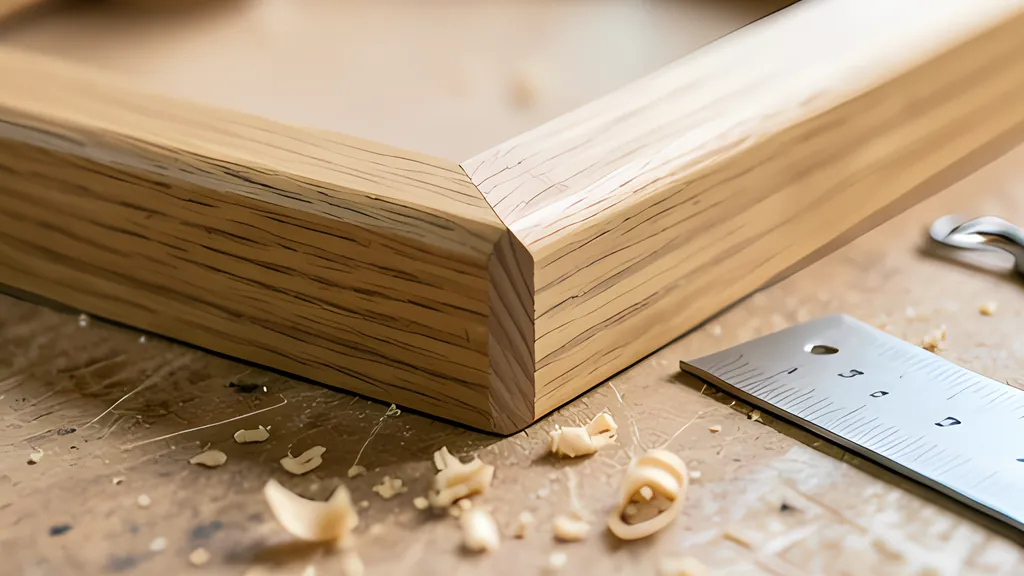
The guide
A corner needs two angles the moment the board leans, and neither of them is 45
Crown molding and sloped boxes are cut lying flat but live tilted, so the saw has to turn and lean at once, toward a corner that is almost never square.
- 31.6 and 33.9 miter and bevel, in degrees, for 52/38 crown in a square corner
- 22.5 degrees miter for a flat eight-sided frame: 180 divided by 8
- 121 rows wall angles from 60 to 180 degrees in one saw maker's crown chart
- 5 inches what 2 degrees out of square amounts to along a 12 foot wall
- 0.1 to 0.2 percent how much most wood shrinks along its length, green to oven dry
Read the full guide Fold the guide
Cut two boards at 45 degrees, push the ends together, and you have a square corner. Lean the same two boards back like the sides of a planter and the joint gapes. Nothing was cut badly. The corner simply stopped being a 45 degree problem.
Matthias Wandel, who documents his workshop projects online, tells of a friend in a high school wood shop who wanted to build a tapered tube from wooden segments. A straight eight-sided tube is easy: bevel every edge at 22.5 degrees. Taper the tube and that same bevel leaves gaps on the inside. The friend took the question to the school’s math teachers and came back without an answer. Wandel worked it out on paper and described the result, fairly, as a lot of trigonometry.
That small story holds the whole subject. A joint that is trivial when the wood lies flat becomes a three-dimensional puzzle as soon as the wood leans.
One plane, two dials
A miter saw offers two adjustments. The turntable swings the blade left or right across the board, which is the miter. The head leans the blade over to one side, which is the bevel. A flat frame needs only the first, and one saw maker’s manual states the rule in a line: 180 degrees divided by the number of sides. Four sides give 45, six give 30, and eight give 22.5 degrees.
The rule works because the frame and its boards share one plane. The joint between two pieces is the plane that splits their corner in half, and with the boards lying flat that plane stands straight up from the saw table. An upright blade can follow it exactly.
Now tilt the boards. The splitting plane stays where it was, but each board has rotated underneath it. Put a tilted board back on the saw, flat on its face, and the joint plane is leaning relative to the wood. The blade has to lean to match, and the line it draws across the face swings as well. Miter and bevel are not two separate corrections. They are one plane, described in the only two motions the saw has. For a ten-sided piece tapered 40 degrees, Wandel set the miter to 11.8 degrees and tilted the blade 13.69. Left untapered, the same ten sides would have needed a plain 18.
The arithmetic is short once the geometry is settled. Halve the corner angle. The miter is the arctangent of the sine of the board’s tilt, measured from the wall, divided by the tangent of that half corner. The bevel is the arcsine of the cosine of the tilt multiplied by the cosine of the half corner. Two lines of a calculator, and a great deal of scrap saved.
What the spring angle is
Crown molding is the everyday version of the tilted board. It bridges wall and ceiling on a slant and leaves a triangular hollow behind it. The slant has a name, the spring angle: the angle at which the molding springs from the wall. One saw manual describes the profile typical in North America as having 52 degrees at the top edge, against the ceiling, and 38 at the bottom edge, against the wall. The two always add up to 90.
Another manual lists that 52/38 pattern and a 45 degree pattern as the two common types. They are not the only ones. A carpenter on a trade forum mentions regularly installing a pattern that springs at 33 degrees, and says the angle often is not one of the standard two.
For 52/38 crown in a perfectly square corner the settings come out at 31.6 and 33.9 degrees, miter and bevel in that order. Saws are built around the pair. One maker’s manual describes latch points at 31.6 on the turntable and stops at 33.9 on the bevel, so the common case needs no squinting at a scale. For 45 degree crown the numbers trade places in size: 35.3 for the miter and 30 for the bevel.
Carpenters made this joint long before saws could lean. Stand the molding in the saw upside down, the bed playing the ceiling and the fence playing the wall, as Jon Eakes puts it, and a plain 45 degree chop does the rest. The wood is held at its spring angle during the cut, so the compound angle takes care of itself. Ed Williams, a Dallas carpenter, describes building a miter box and reaching for a handsaw when a cove was too large for any machine, and notes that this was how compound joinery was cut before the motorized miter saw existed.
The two methods trade one difficulty for another. Cut in position, the molding needs no bevel at all, and a maker’s manual points out that the miter can be nudged without disturbing anything else. But the piece has to fit standing up under the blade. Cut flat, almost any size fits, and the price is two settings to a tenth of a degree and a molding whose back really does lie flat. Charts filled the gap. Gary Katz credits the carpenter Joe Fusco with developing the first one, and they now appear in saw manuals. One maker’s chart runs from 60 to 180 degrees of wall angle in single steps: 121 rows for each profile.
Why the wall is never 90
The chart needs that many rows because rooms are not square. A home improvement magazine says flatly that two walls are rarely a perfect 90 degrees. A saw manual says very few rooms have exactly square corners. Installers trading advice on a forum talk about 87 and 92 degree corners as ordinary working conditions. Even a mathematics paper on miter joints opens by naming the baseboard that meets a not quite square wall as the everyday form of the problem.
The errors sound small until they are stretched over a room. Bill Shaw, who built a mock corner with a movable wall to demonstrate the point, notes that 2 degrees out of square over a 12 foot wall is 5 inches.
Take 52/38 crown and a corner that measures 92 degrees. Half the corner is 46. The sine of 38 is 0.616 and the tangent of 46 is 1.036; their ratio is 0.595, and its arctangent is 30.7 degrees of miter. The cosine of 38 is 0.788 and the cosine of 46 is 0.695; their product is 0.547, and its arcsine is 33.2 degrees of bevel. A saw maker’s printed chart gives the same pair for a 92 degree wall. Against the square-corner settings, two degrees of wall moved the miter by nearly a full degree and the bevel by 0.7.
So the corner has to be measured, not assumed. Katz checks outside corners with a mock-up and a protractor, and adds a warning about scales: 46 degrees on a miter saw is 44 on a protractor. The saw counts from a square cut, the protractor from the edge of the board. Some saws reverse the convention and label a square cut 90, which is why a published angle is worthless until you know which way it counts. Another carpenter marks each corner on a scrap with an angle divider before cutting anything.
Left, right, inside, outside
Even with the right numbers there are four different pieces: the left and right of an inside corner, and the left and right of an outside one. Each needs the blade swung a particular way, leaned a particular way, a particular edge of the molding against the fence, and the finished piece on a particular side of the blade. Makers print tables for this. On a saw that leans both ways the molding can keep its ceiling edge at the fence while the blade changes sides. On a saw that leans one way only, the molding is turned end for end instead, so that sometimes the wall edge meets the fence.
Four choices, each with two answers, is a reliable way to ruin a long piece of trim. Eakes keeps small sample pairs in his pocket, each marked inside left, inside right, outside left or outside right, and offers the sample up to the saw before he cuts the real thing.
Inside corners have an escape. In a coped joint one piece runs square into the corner and the other is sawn to the profile of the first, so that it laps over it like a piece of a puzzle. Shaw’s movable wall shows that a cope still closes when the corner is 2 degrees out. A miter is less forgiving: too long and its point digs into the drywall, too short and a new piece has to be cut. Katz copes inside corners as a habit, with exceptions for small assemblies and for cabinets he knows are square. Outside corners cannot be coped, and neither can some custom profiles.
What the numbers cannot do
Wood has its own opinion about tight joints. The Forest Service’s handbook puts shrinkage along the grain at 0.1 to 0.2 percent from green to oven dry for most species, and its tables list shrinkage across the grain in whole percents, tangential about twice radial. A board that barely changes in length but visibly changes in width will not hold a knife-edge joint forever, whatever the saw did.
The saw is the nearer limit. One manual admits that its own crown figures are very precise and not easy to set. A forum veteran is blunter: the bevel scale is much less accurate than the miter scale, because it is drawn on a smaller arc, and dialing it to one degree is hard, never mind half. A dull blade or dense hardwood adds its own push while the cut is being made. And saws run out of travel, since blade tilt typically stops at 45 degrees. The same 52/38 crown in a 60 degree corner asks for 46.8 degrees of miter.
The formula also assumes things no house promises: a flat ceiling, straight walls, and a molding whose back is true. A cupped back rocks on the saw table and changes every cut. Ceilings bow and belly. None of that is in the trigonometry.
Which is why both manuals say the same thing, one of them in capital letters: test on scrap first. Compute the pair, cut two short pieces, hold them in the corner, and move a row up or down the chart if the joint is open. The calculation is exact about an ideal corner. The fit comes from the last tenth of a degree, found by hand.
Sources
Every source consulted for this guide. Links checked October 4, 2026.
- Instruction Manual: Slide Compound Miter Saw LS1019, LS1019L Makita Corporation (document 885575-945)
- Instruction Manual: DWS780 12 in. (305 mm) Double Bevel Sliding Compound Miter Saw DeWalt (document N693246)
- Making splayed miter joints woodgears.ca (Matthias Wandel)
- Cutting & Coping Crown Molding THISisCarpentry (Bill Shaw)
- Installing Crown Molding THISisCarpentry
- Joe Fusco's Crown Chart THISisCarpentry
- Cutting HUGE Wooden Crown Molding THISisCarpentry (Ed Williams)
- Finding Compound Angles for Crown Moulding WOODWEB Knowledge Base
- Crown Moulding Miter and Bevel Angle Setting Chart WOODWEB Knowledge Base
- Cutting crown moldings with a mitre saw. Jon Eakes
- How to Cope Joints for Wood Corner Trim Family Handyman
- Compound Angle Calculator jansson.us
- The Mathematics of Mitering and Its Artful Application Bridges Leeuwarden 2008 conference proceedings (Tom Verhoeff and Koos Verhoeff)
- Chapter 4: Moisture relations and physical properties of wood USDA Forest Service, Forest Products Laboratory (Wood Handbook, FPL-GTR-282)
- Crown molding Wikipedia